Managing Projects and Tasks
ZeyOS separates larger delivery structures from individual work items. Projects provide the overall container, while Tasks are the formal work packages that belong to a project or stand on their own.
Projects vs Tasks vs Action Steps
- Project = the overall initiative, customer engagement, or internal work package
- Task = the formal work item with assignee, status, and planning data
- Action Step = the smaller operational follow-up item documented separately in Action Steps
What You See in Projects
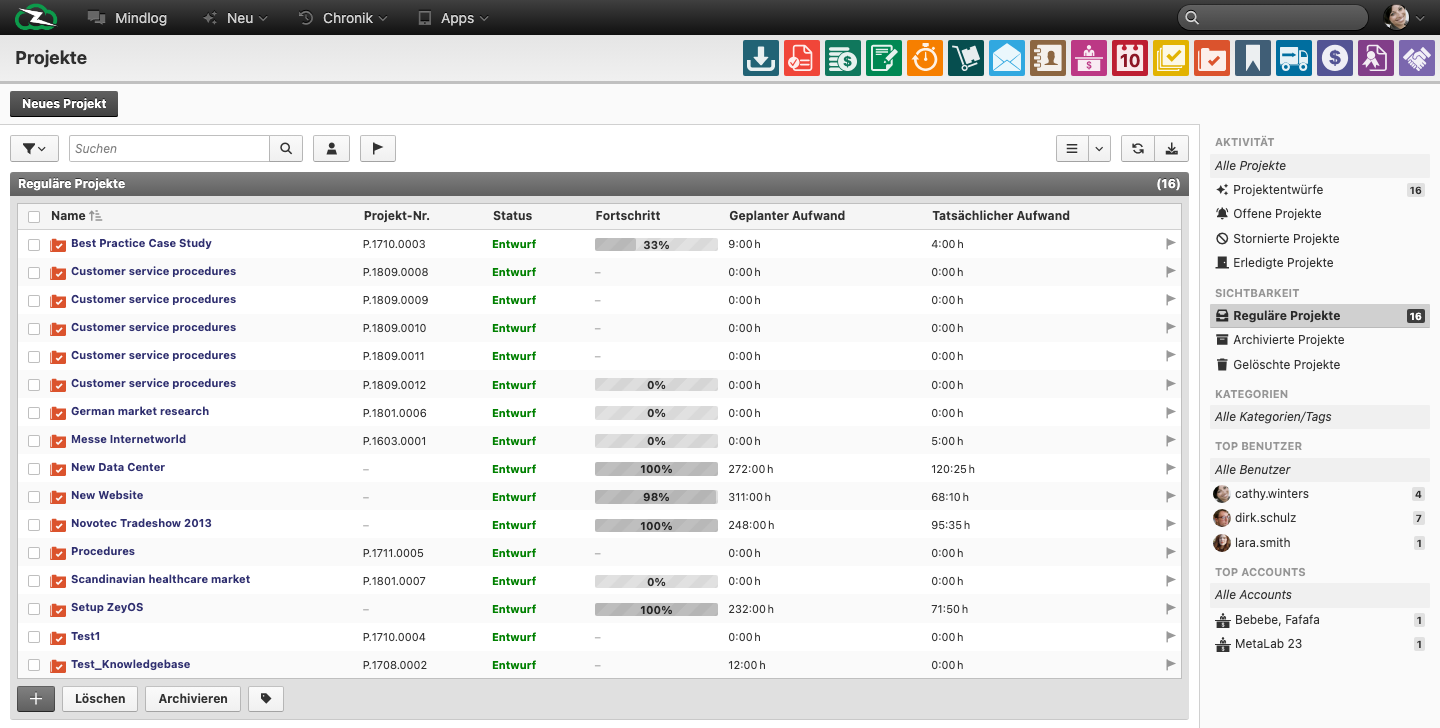
The live Projects list includes fields such as:
- Name
- Project No.
- Status
- Progress
- Planned effort
- Actual effort
The live filters distinguish between project drafts, open projects, cancelled projects, and completed projects.
What You See in Tasks
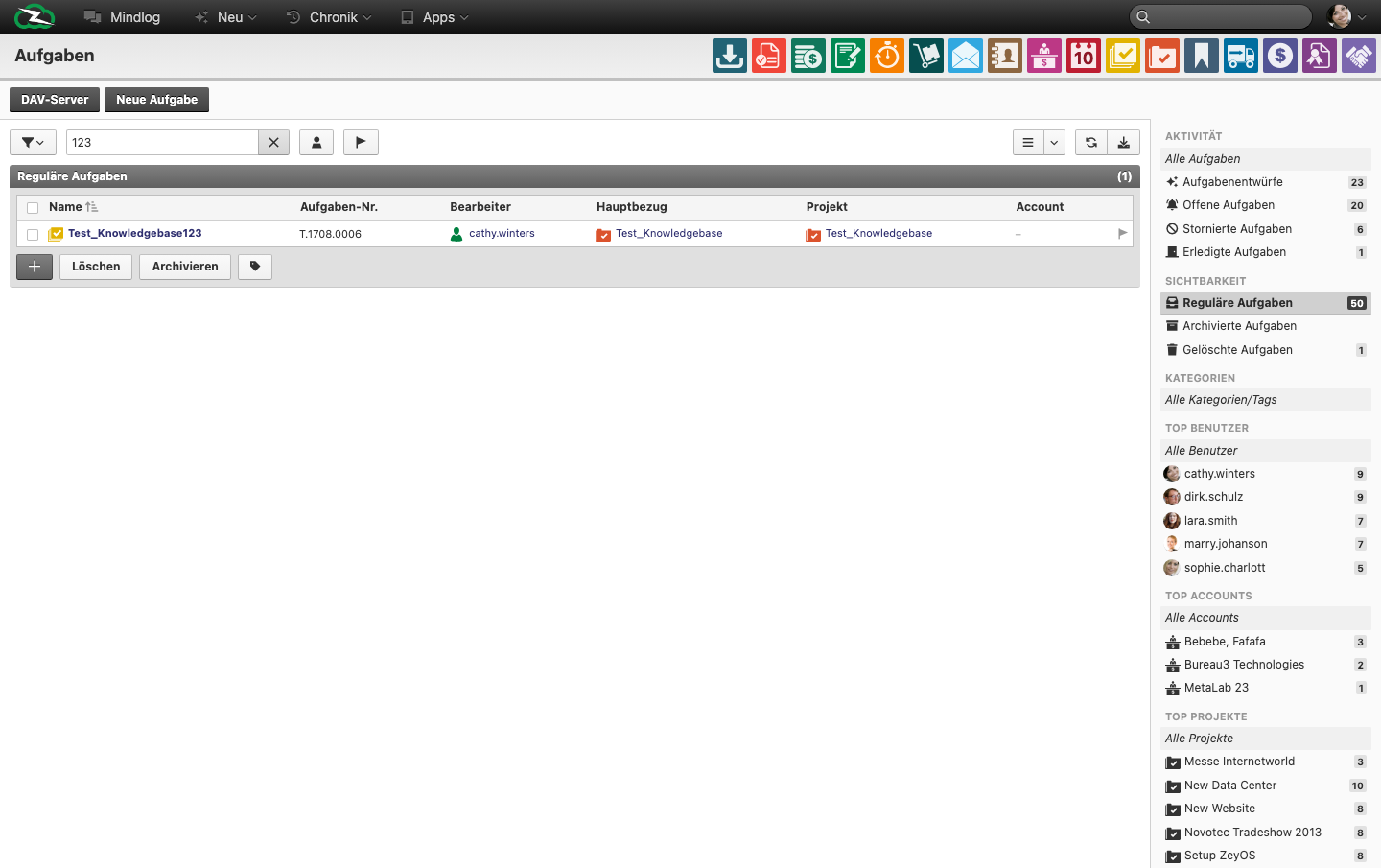
The live Tasks list includes fields such as:
- Name
- Task No.
- Editor / Assignee
- Main reference
- Project
- Account
The live filters distinguish between task drafts, open tasks, cancelled tasks, and completed tasks.
Typical Workflow
- Create the project if the work needs a shared container.
- Add the formal tasks required to deliver the work.
- Link the tasks to the relevant project, account, or reference record.
- Use Action Steps for smaller follow-ups that sit under broader work.
- Use Tickets if the work originates from support or service communication.
When to Start with a Project
Start with a project when the work has multiple deliverables, multiple people, or reporting needs. Start with a task when one accountable work item is enough. Add an action step when the follow-up is real but smaller than a full task.
When Teams Need More Clarity
The most common confusion points are:
- creating a task when a project would provide better structure
- using tickets for internal work that should really be a task
- treating action steps like full tasks instead of smaller execution items
Best Practices
- Use projects for initiatives that contain multiple deliverables or require reporting.
- Keep task names operational and specific.
- Use projects and tasks together when you need both planning context and execution detail.
- Separate internal delivery work from external service cases by using tickets where appropriate.
Related Topics
- Action Steps - Smaller operational work items.
- Tickets - Service-driven work.
- Calendar - Schedule work-related appointments.