Action Steps
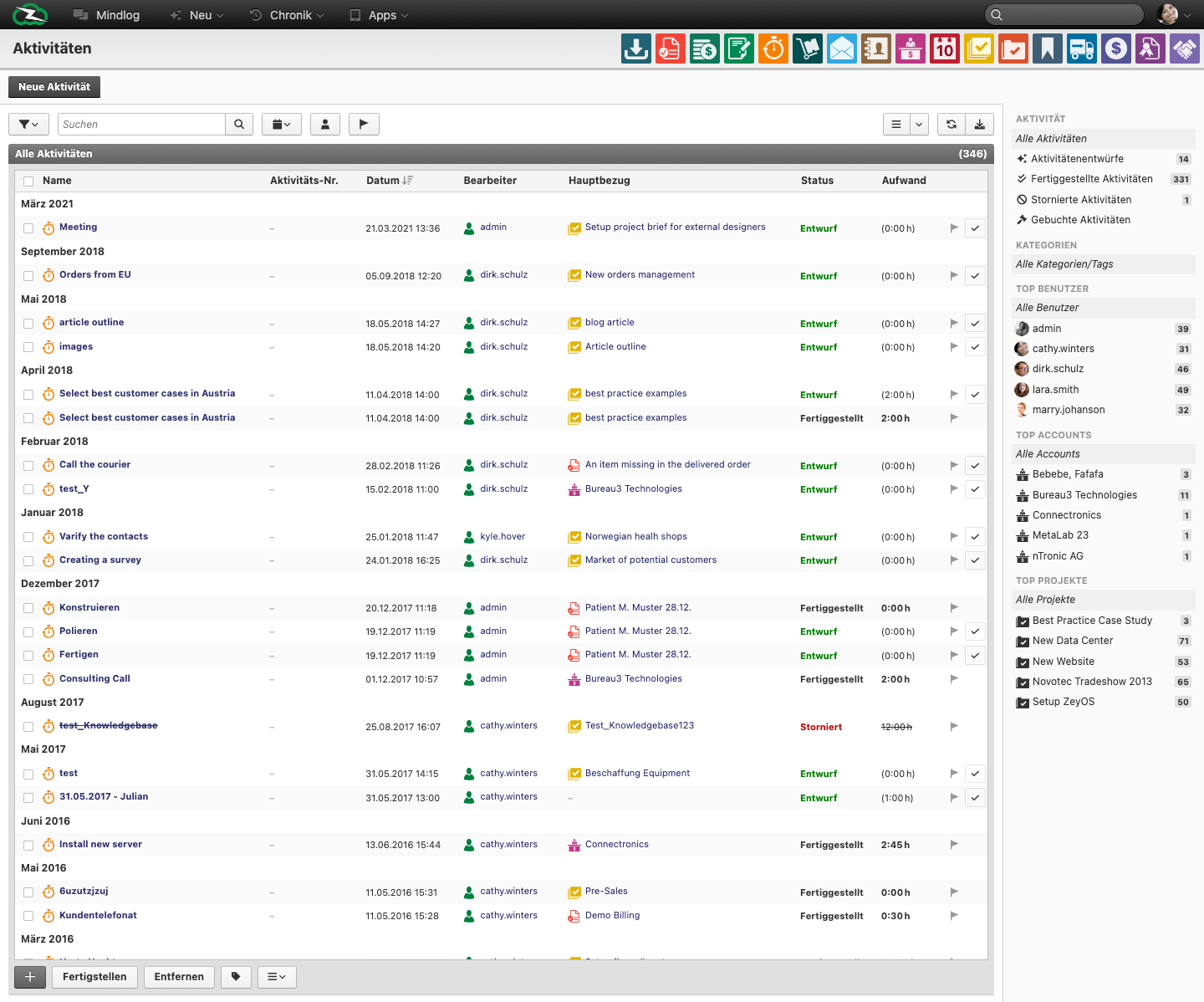
The Action Steps module, shown as Activities in the live German UI, is used for smaller operational work items and follow-up steps. It sits between ad-hoc reminders and fully structured tasks.
What This Page Is For
Use Action Steps when the work is real and trackable, but lighter than a full task or ticket.
What You See on the Page
The live list includes fields such as:
- Name
- Activity No.
- Date
- Editor / Assignee
- Main reference
- Status
- Effort
This makes Action Steps useful for operational follow-up linked to another record, such as a task, ticket, note, or customer topic.
When to Use Action Steps Instead of Tasks
Use Action Steps when:
- the work is short-lived or granular
- the item is clearly subordinate to another record
- you want to track effort or status without creating a full project structure
Use Tasks when the work needs a clearer standalone lifecycle or stronger planning context.
Typical Use Cases
- short follow-up calls or clarifications
- sub-steps under a larger task or ticket
- operational work created during execution of a broader activity
- small internal delivery items that still need visibility
Best Practices
- Link the action step to a meaningful main reference whenever possible.
- Keep the name concrete and action-oriented.
- Escalate recurring or complex action steps into full tasks when they outgrow their original scope.
Related Topics
- Managing Projects and Tasks - Larger work structures.
- Tickets - Support-driven work.
- Monitor - Cross-module visibility into changed records.