Admin Functions
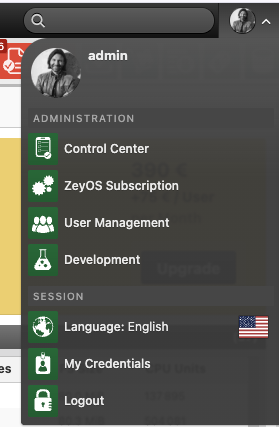
The Admin Functions area collects the business-administration pages that platform owners use most often.
What This Area Is For
Use this area to manage commercial ownership of the instance, maintain user access, and coordinate with ZeyOS support.
Who Should Use It
This area is intended for system owners, administrators, finance contacts, and team leads with responsibility for user access.
Included Pages and Functions
| Page or tile | Purpose |
|---|---|
| ZeyOS Customer Portal | Open service and support resources for the instance |
| ZeyOS Subscription | Review edition, billing cycle, pricing, contract details, customer data, payment data, and usage statistics |
| User Management | Create, invite, activate, deactivate, and review user accounts |
| Groups | Structure permissions and assign users to shared security groups |
What You See in the Live System
Subscription page
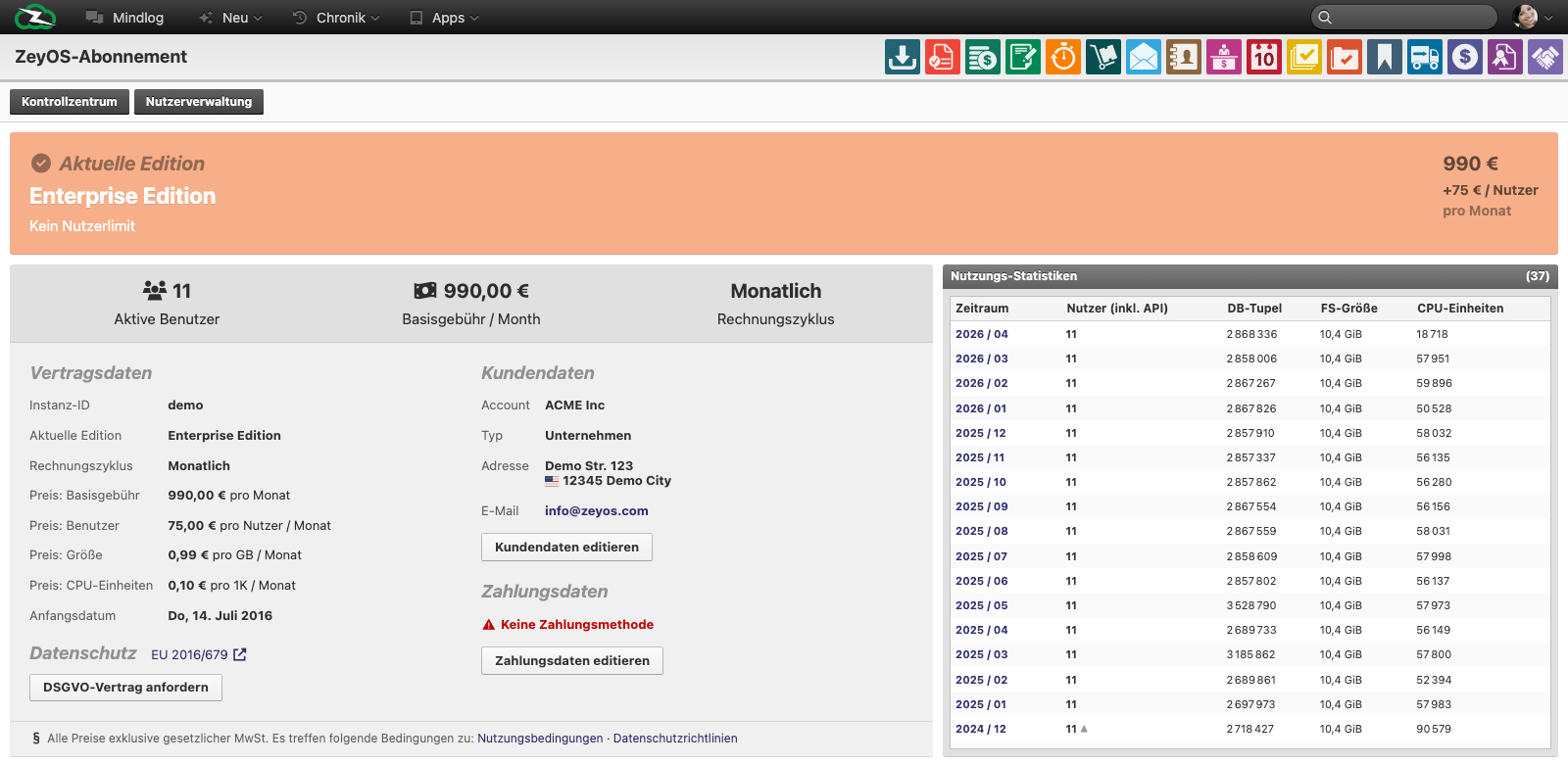
The live subscription page shows:
- current edition
- active user count
- billing cycle
- base and per-user pricing
- contract details such as instance ID and start date
- customer data and payment data
- monthly usage statistics
User list
The live user-management list includes columns such as:
- Name
- System email
- Contact
- Last login
- Groups
Bulk actions include Delete, Activate, Deactivate, Reinvite, and Reset login attempts.
Group list
The live group list includes:
- Name
- Leader
- Users
- Permissions
This gives administrators a quick overview of access structure and group size.
Typical Tasks
Review subscription ownership
Use the subscription page when you need to confirm edition, user counts, pricing, or customer details before an internal budget, renewal, or support conversation.
Maintain users
Use user management to:
- create a new user
- resend an invitation
- deactivate a user who has left the organization
- reset login-attempt counters if access was locked
Review permission structure
Use the groups page to confirm whether the access model still reflects the organization. Group maintenance should be coordinated with the concepts described in Group Management.
Best Practices
- Link administrative users to real contact records for traceability.
- Deactivate users promptly when access is no longer required.
- Keep group design intentional; avoid creating overlapping groups without a clear access model.
- Review subscription and usage data regularly instead of only at renewal time.