Control Center
The Control Center is the administrative workspace behind your ZeyOS instance. Some pages affect only your own user account, while others change shared behavior for the whole system. This section is structured so you can quickly identify which settings belong to end users, business administrators, or technical administrators.
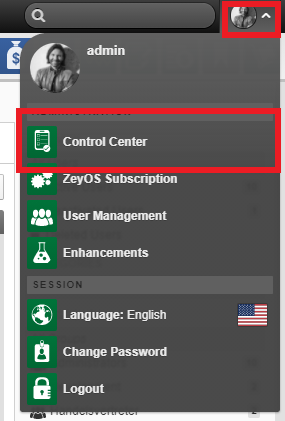
Open the user card in the top-right corner or the profile tile on the Mindlog start page and select Control Center.
How to Use This Section
- Start with Personal Settings and Credentials and Security if you are documenting or onboarding everyday users.
- Continue with Servers, Admin Functions, and System Settings, Number Ranges, and Units for business administration.
- Use Custom Fields, Tags, and Data Extensions, Extensions and Developer Tools, and Logs, Audit, and Demo Data for technical administration.
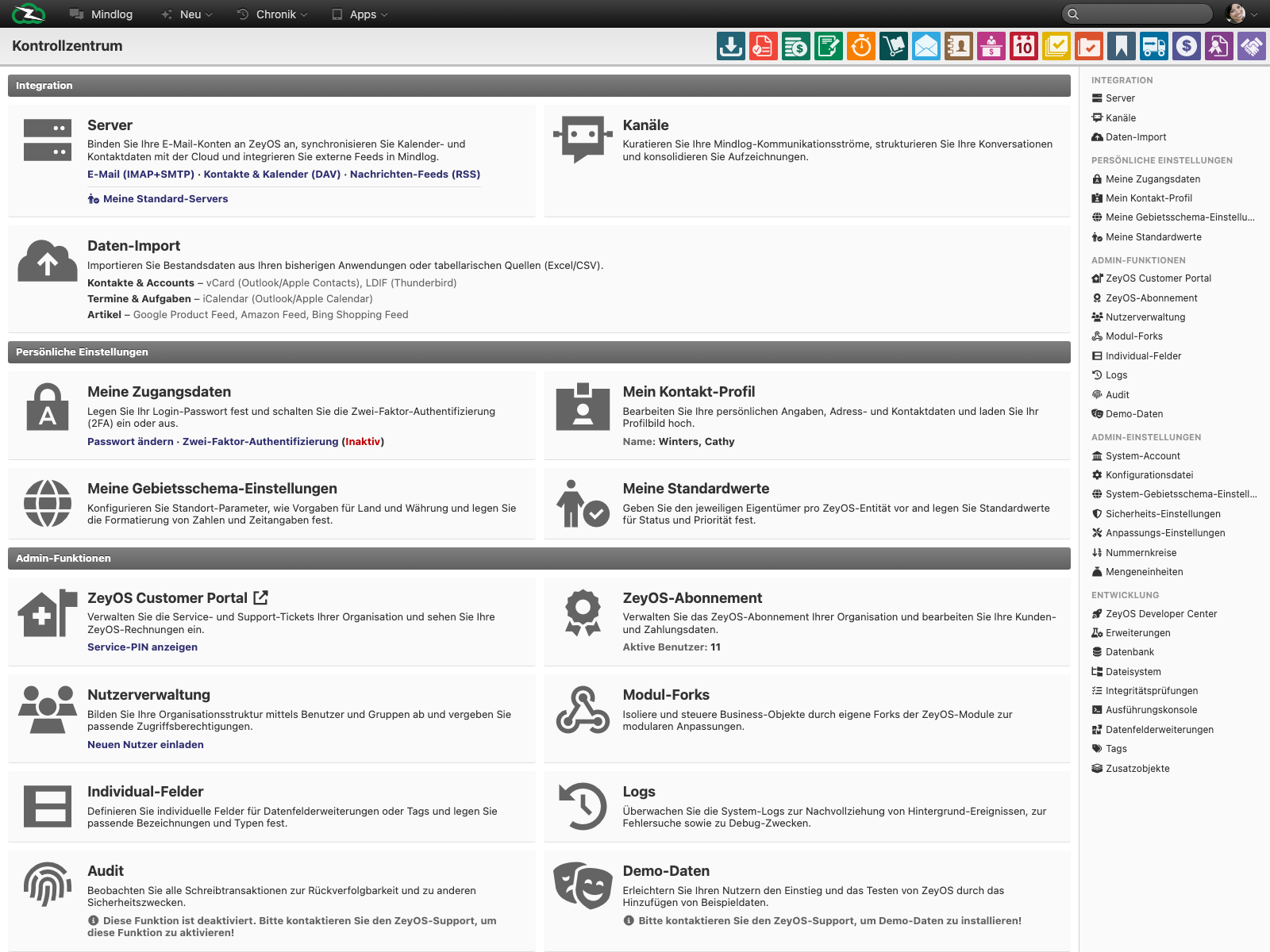
Control Center Coverage Map
| Live section or tile | Covered in this handbook | Typical responsibility |
|---|---|---|
| Servers | Servers | Mail, DAV, and feed integrations |
| Channels | Channels | Mindlog structure and communication governance |
| Data Import | Importing Data | Bulk migration and data onboarding |
| My Contact Profile, My Locale Settings, My Defaults | Personal Settings | User-specific profile and default behavior |
| My Credentials | Credentials and Security | Password, 2FA, tokens, service PIN |
| Customer Portal, Subscription, User Management, Groups | Admin Functions | Operational ownership of the instance |
| System Account, Configuration File, Admin Settings, Units | System Settings, Number Ranges, and Units | Organization-wide configuration |
| Individual Fields, Module Forks, Data Field Extensions, Tags, Extra Objects | Custom Fields, Tags, and Data Extensions | Controlled data-model extension |
| Logs, Audit, Demo Data | Logs, Audit, and Demo Data | Monitoring, traceability, support preparation |
| Extensions, Database, SQL Query, Filesystem, Integrity Checks, Execution Console, API Inspector, Developer Center | Extensions and Developer Tools | Advanced technical administration |
Recommended Reading Order by Role
- End users should read Personal Settings and Credentials and Security.
- Business administrators should add Servers, Admin Functions, and System Settings, Number Ranges, and Units.
- Technical administrators and developers should continue with Custom Fields, Tags, and Data Extensions, Extensions and Developer Tools, and Logs, Audit, and Demo Data.
Access and Change Control
Not every user sees every tile. Personal settings are typically available to all users, while subscription, system settings, logs, and technical tools are usually restricted to administrators or technical staff.
Treat Control Center changes according to their scope:
- Personal pages can usually be changed by the user directly.
- Shared business settings should be coordinated with the system owner.
- Technical pages should only be used by people who understand the operational impact.