Managing Contacts
The Contacts module is the identity layer of ZeyOS. It stores people and companies, keeps their communication data together, and provides the shared records used by CRM, tickets, messages, billing, and user profiles.
What This Page Is For
Use Contacts when you need to create or maintain the real-world person or company behind a customer relationship, supplier relationship, campaign participant, or internal user.
People and Companies
ZeyOS distinguishes between two contact types:
- Company records represent organizations.
- Person records represent individuals.
People can be linked to companies so you can track employer relationships, communication history, and ownership without duplicating data.
What You See on the Page
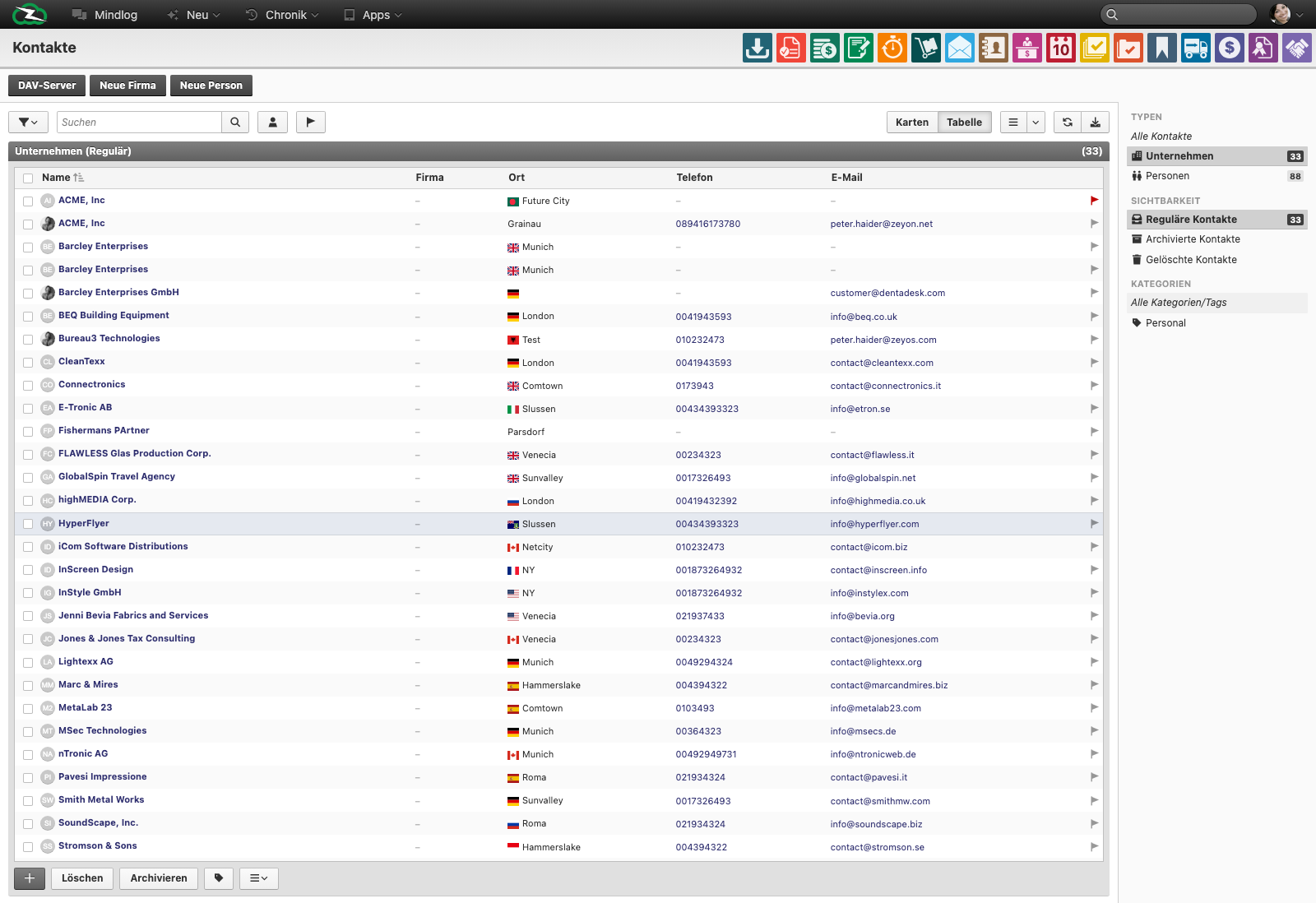
The live contacts page includes:
- actions such as DAV-Server, New Company, and New Person
- Cards and Table views
- a live table with fields such as Name, Company, City, Phone, and Email
- sidebar filters for All Contacts, Companies, Persons, visibility states, and categories or tags
- bulk actions such as delete, archive, and tag assignment
Typical Workflow
- Create the company record first if the person belongs to an organization you already work with.
- Create the person and link them to the relevant company where appropriate.
- Set assignee, owner, tags, and core contact details.
- Use the contact as the shared reference for messages, opportunities, tickets, and other linked records.
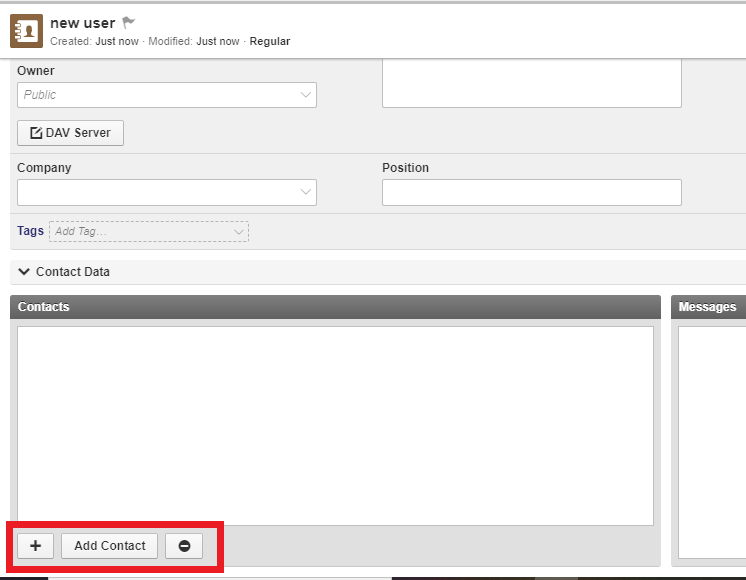
- Link the contact to a system user if the person also needs a ZeyOS login.
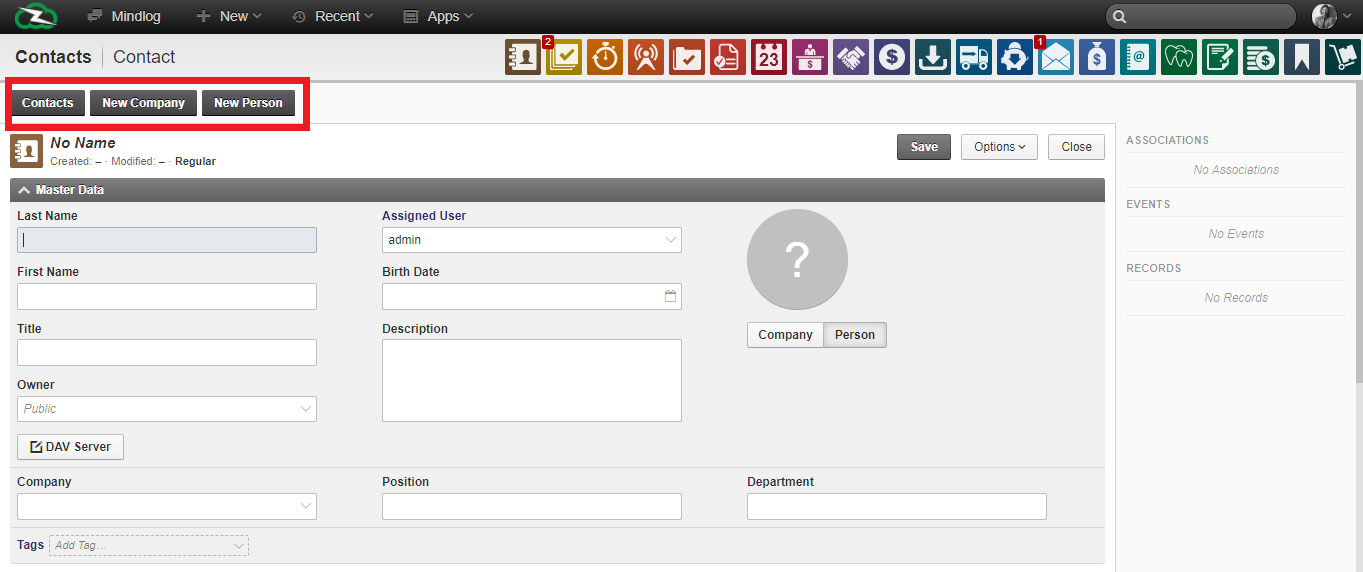
Contacts vs Users vs Accounts
These three objects should be trained together:
- Contact = the real person or company
- User = the system login and internal access identity
- Account = the business relationship, such as customer or supplier
A single company contact may later receive one or more Business Accounts, and an internal employee may be both a contact and a linked system user.
Linking a Contact to a System User
CardDAV and External Sync
The DAV-Server action is used when contacts should be synchronized with external tools such as mail clients or mobile address books through CardDAV. The technical configuration belongs to the server setup, but end users should know that the contact record in ZeyOS remains the authoritative source.
Best Practices
- Create one clean contact per real person or company.
- Link people to companies instead of duplicating employer data in free text.
- Use tags for segmentation, but keep legal or commercial roles in the appropriate modules.
- Link users to contacts early so internal profile data stays aligned.
- Keep contact data current because many downstream modules reuse it.
Related Topics
- Business Accounts - Add the commercial relationship on top of the contact.
- Groups & Permissions - Control visibility through ownership.
- Messages & Mailing Lists - Use contacts in communication workflows.
- Opportunities - Link pipeline work to the right people and companies.
- Servers - Configure CardDAV connectivity.