Business Accounts
The Accounts module stores the commercial relationship you have with a person or company. This is where ZeyOS distinguishes between an address-book entry and a real business relationship such as customer, supplier, prospect, competitor, or employee.
What This Page Is For
Use Business Accounts when you need to decide how a person or company participates in your processes for sales, procurement, service, contracts, or CRM.
Contacts vs Accounts
The distinction is essential:
- Contact = who the person or company is.
- Account = what business relationship you manage with that party.
- Address = typed location data attached to the account-contact combination.
A company can exist as a contact first and later become one or more accounts, for example both a customer and a supplier.
Example: One Company, Several Roles
Imagine Alpha GmbH exists once as the company contact. That same company can then receive:
- a customer account for sales and invoicing
- a supplier account for procurement
- role-specific addresses or commercial attributes where needed
This keeps the real-world entity clean while allowing ZeyOS to support more than one business relationship.
What You See on the Page
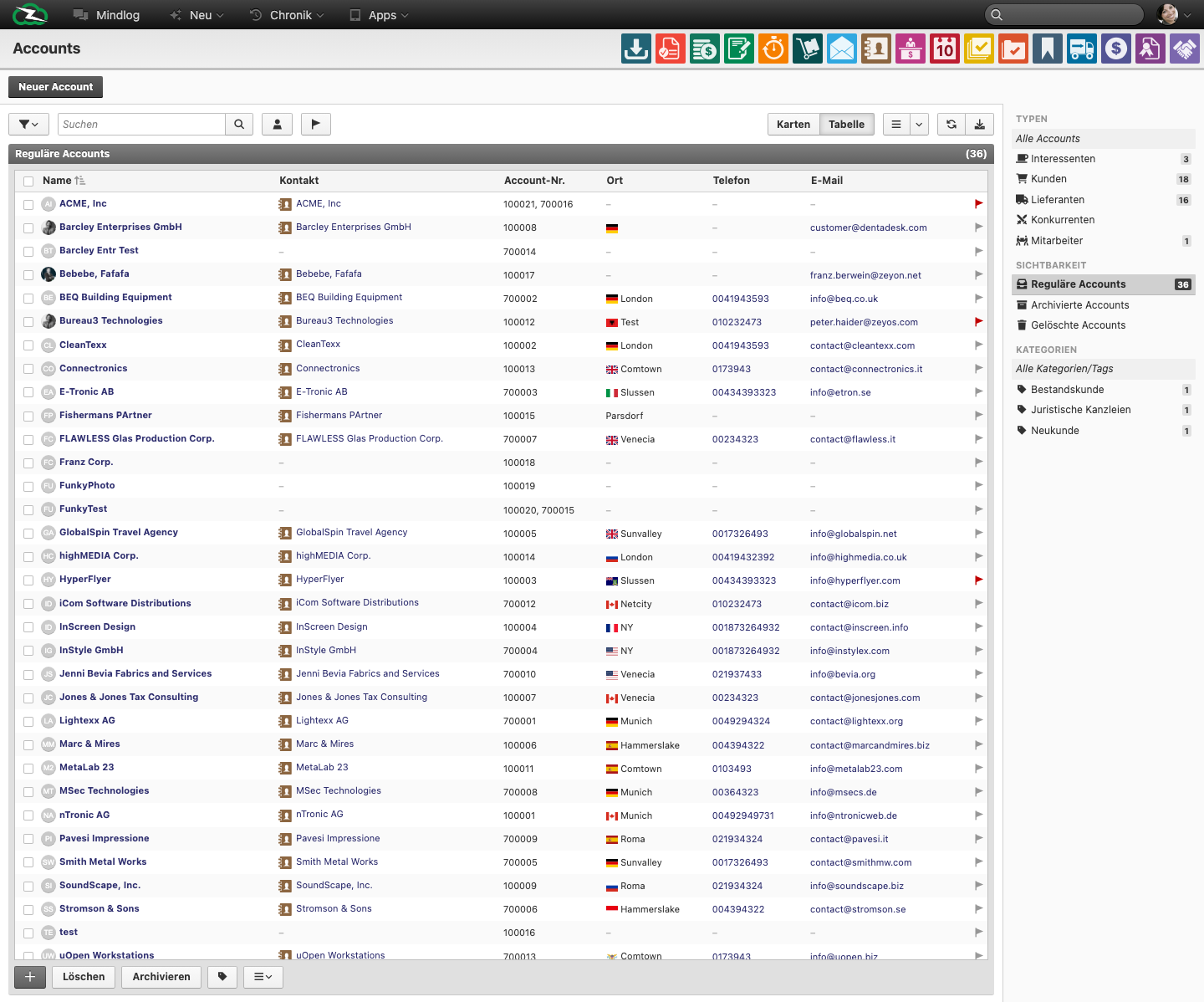
The live accounts page supports Cards and Table views and includes a creation action for New Account. In the table view, the live list includes fields such as:
- Name
- Contact
- Account No.
- City
- Phone
This makes the account list the commercial master-data index for many downstream workflows.
Typical Workflow
- Create or confirm the underlying company or person in Managing Contacts.
- Create the account in Accounts.
- Assign the account type and any number ranges or commercial attributes required by your process.
- Link the account to transactions, opportunities, contracts, tickets, or mailing activity.
Common Account Uses
Use accounts to represent:
- customers for invoicing and CRM
- suppliers for procurement
- prospects before they become active customers
- competitors or partners for commercial context
- employees where the business relationship matters operationally
What Needs Extra Clarity in Practice
When teams struggle with account data, the root cause is usually one of these issues:
- contacts are created without a matching account even though the company is commercially active
- users confuse system users with business accounts
- the same company is created multiple times instead of using one contact with multiple business relationships
Best Practices
- Create the company contact first, then attach the relevant account.
- Use one clean master record per real-world business entity wherever possible.
- Review whether the same company needs more than one account role instead of duplicate contacts.
- Keep account ownership, pricing, and address data aligned with the actual business workflow.
Related Topics
- Managing Contacts - Create the underlying person or company record.
- User Management - System users are separate from business accounts.
- Invoicing - Customers are used there.
- Procurement - Suppliers are used there.
- Opportunities - Prospects and customers are linked there.