Contracts
The Contracts module manages recurring or ongoing commercial agreements in ZeyOS. It is especially relevant for subscription-style work, maintenance arrangements, consulting retainers, or other recurring billing relationships.
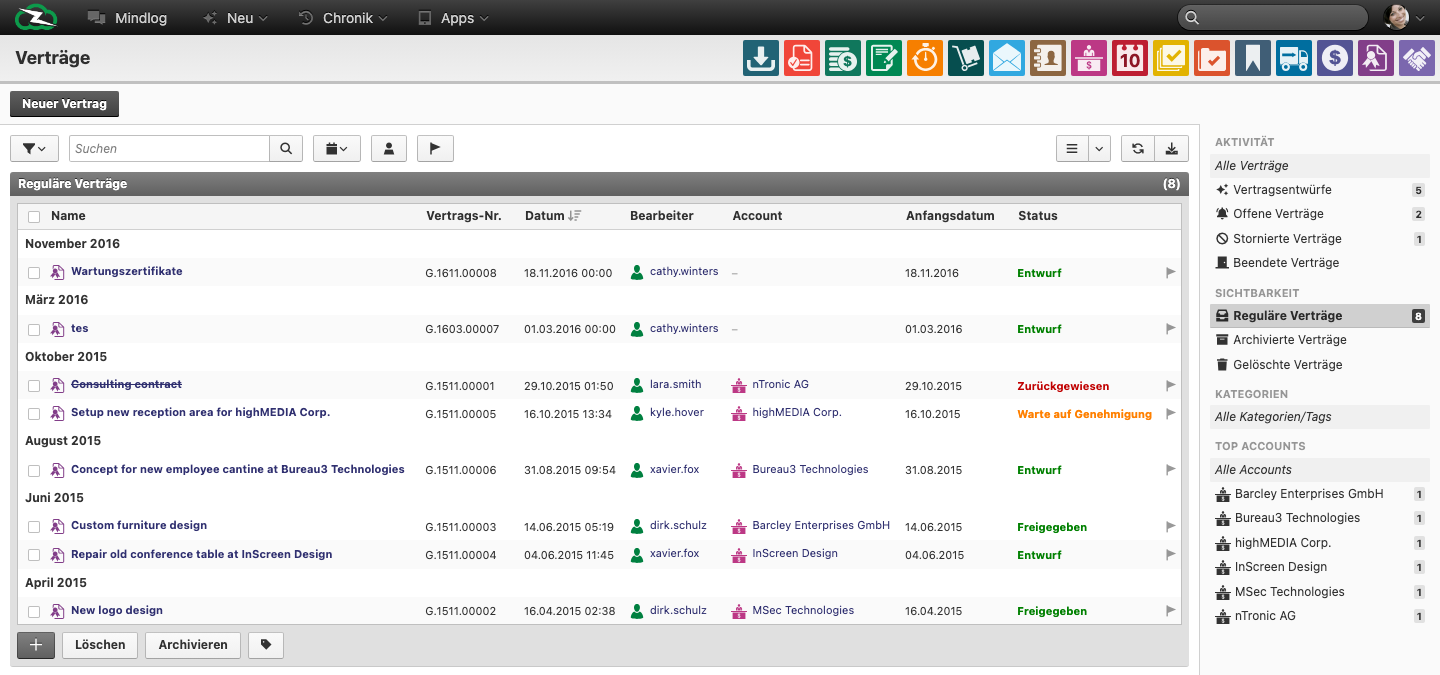
What This Page Is For
Use Contracts when a customer or supplier relationship should continue beyond a single transaction and needs a lifecycle of its own.
What You See on the Page
The live contracts list includes fields such as:
- Name
- Contract No.
- Date
- Editor / Assignee
- Account
- Start date
- Status
The live data also shows approval-oriented statuses such as:
- Draft
- Waiting for approval
- Approved
- Rejected
Contracts vs Orders vs Invoices
- Contract = the recurring or ongoing agreement
- Order / Invoice = the individual commercial documents produced over time
Contracts provide the durable commercial frame. Transactions are the individual outputs within that frame.
Typical Workflow
- Create the contract and link it to the correct account.
- Define the start date and commercial structure.
- Move the contract through the required approval or review stages.
- Use the contract as the basis for recurring billing or recurring commercial follow-up.
How Recurring Billing Typically Works
In operational terms, contracts usually sit upstream of invoice generation:
- the contract defines the commercial frame
- positions, periods, or recurring rules are maintained on the contract
- an approved or active contract becomes eligible for billing generation
- resulting invoices are then processed in Invoicing
The exact automation trigger depends on your tenant configuration, but the training message should stay consistent: the contract is the governing agreement, not the invoice itself.
Where Users Usually Need More Clarity
Users often need help distinguishing:
- a one-time sale from a recurring agreement
- the approval state of the contract from the payment state of invoices generated from it
- the contract itself from the line items or billing cycles that belong to it
Best Practices
- Use clear names that describe the commercial purpose of the agreement.
- Link contracts to the right customer or supplier account from the start.
- Keep approval-related statuses meaningful and consistent.
- Treat contract management as its own process, not just an invoice shortcut.
Related Topics
- Invoicing - Individual commercial documents.
- Business Accounts - The contract partner lives there.