Group Management
Groups are the main access-control layer in ZeyOS. They bundle users into functional teams and define which applications and functions those people can access.
What This Page Is For
Use groups to build a maintainable permission model. Instead of assigning rights user by user, define access once on the group and manage membership over time.
Who Should Use It
This page should be maintained by administrators or security owners who define how access is structured across departments, roles, or projects.
What You See on the Page
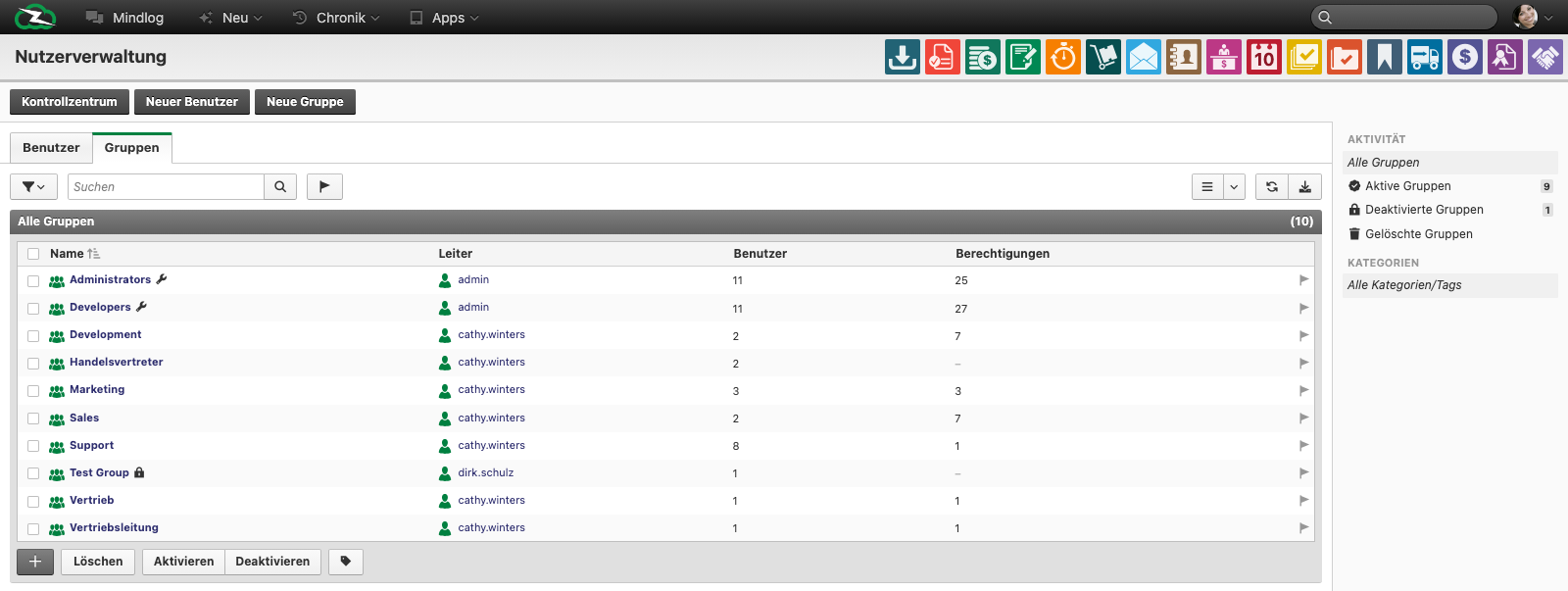
The live group list includes:
- Name
- Leader
- Users
- Permissions
The right sidebar lets you filter by state or tags. Bottom actions support Delete, Activate, and Deactivate.
Typical Tasks
Create a new group
- Open Control Center > User Management and switch to the Groups tab.
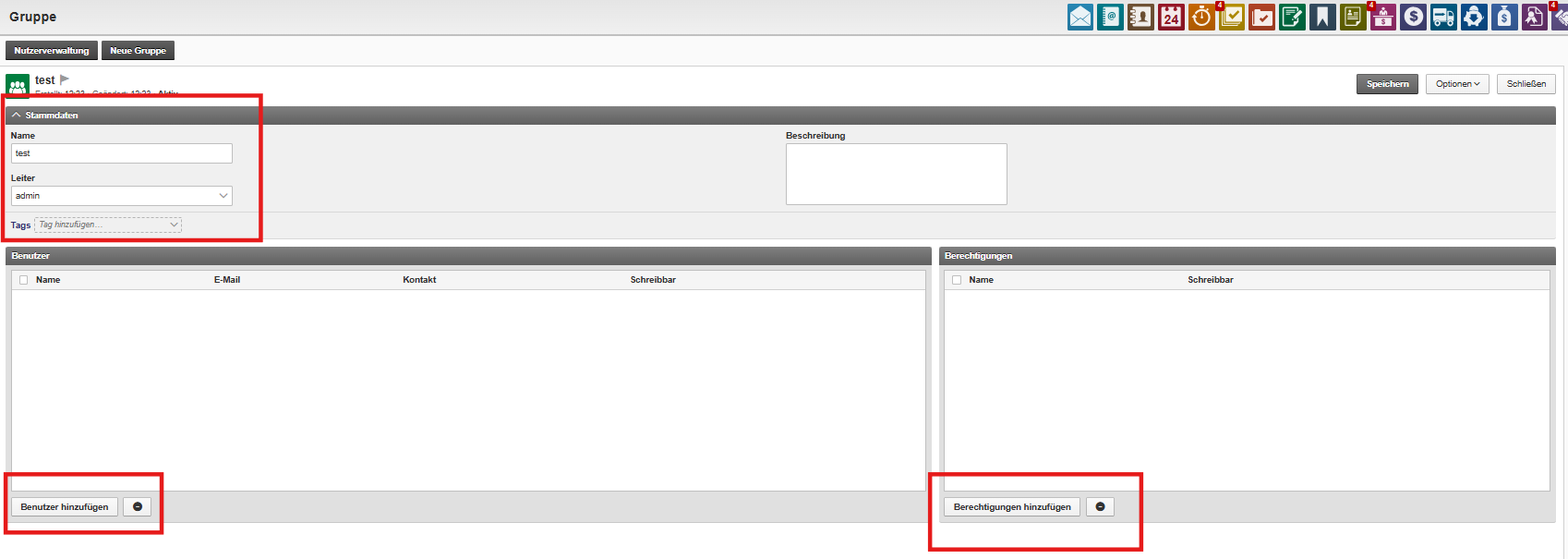
- Click New Group.
- Enter the group name and, if used, the group lead.
- Save the group.
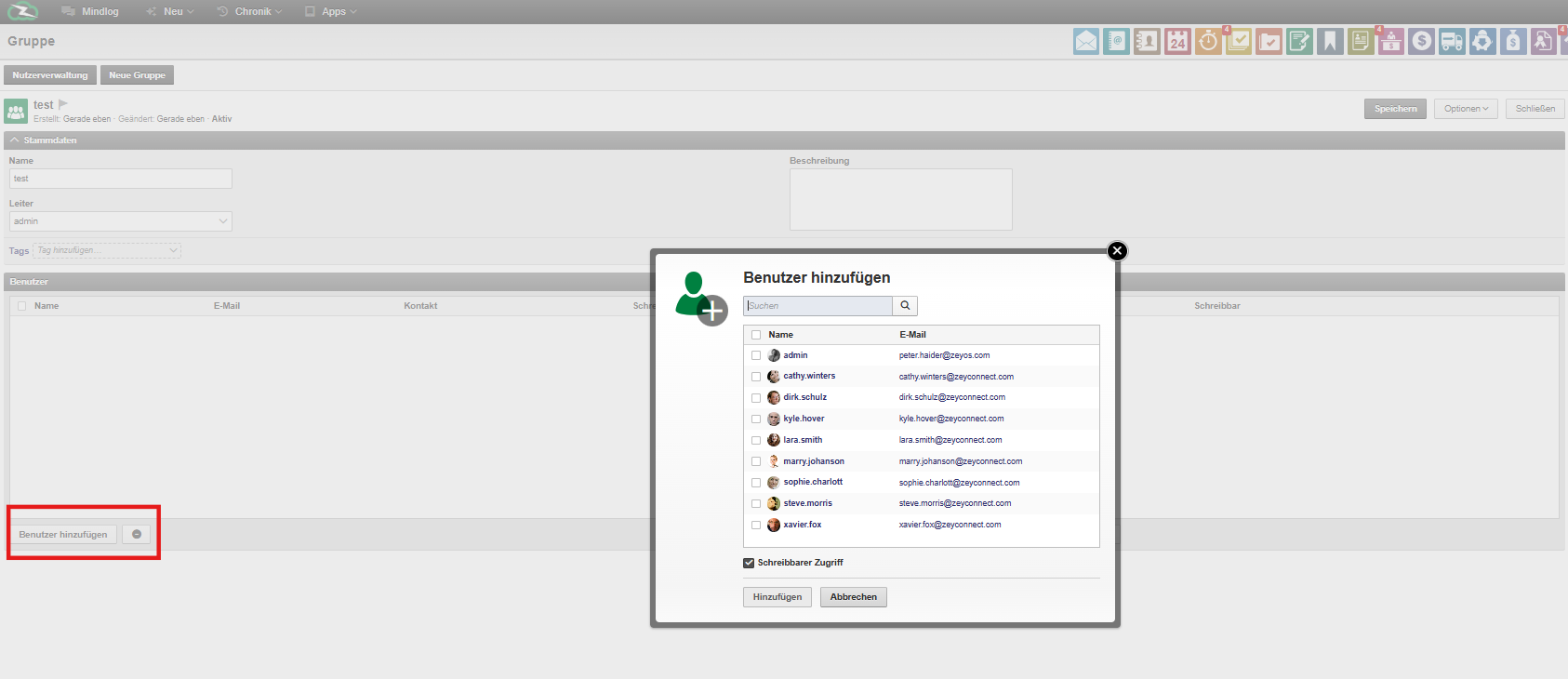
- Add members and assign the required permissions.
Maintain a permission structure
Use groups to model:
- departments such as Sales, Support, Finance, or Marketing
- role-based access such as Administrators or Developers
- temporary rollout or project teams where access must be shared
Review and simplify access
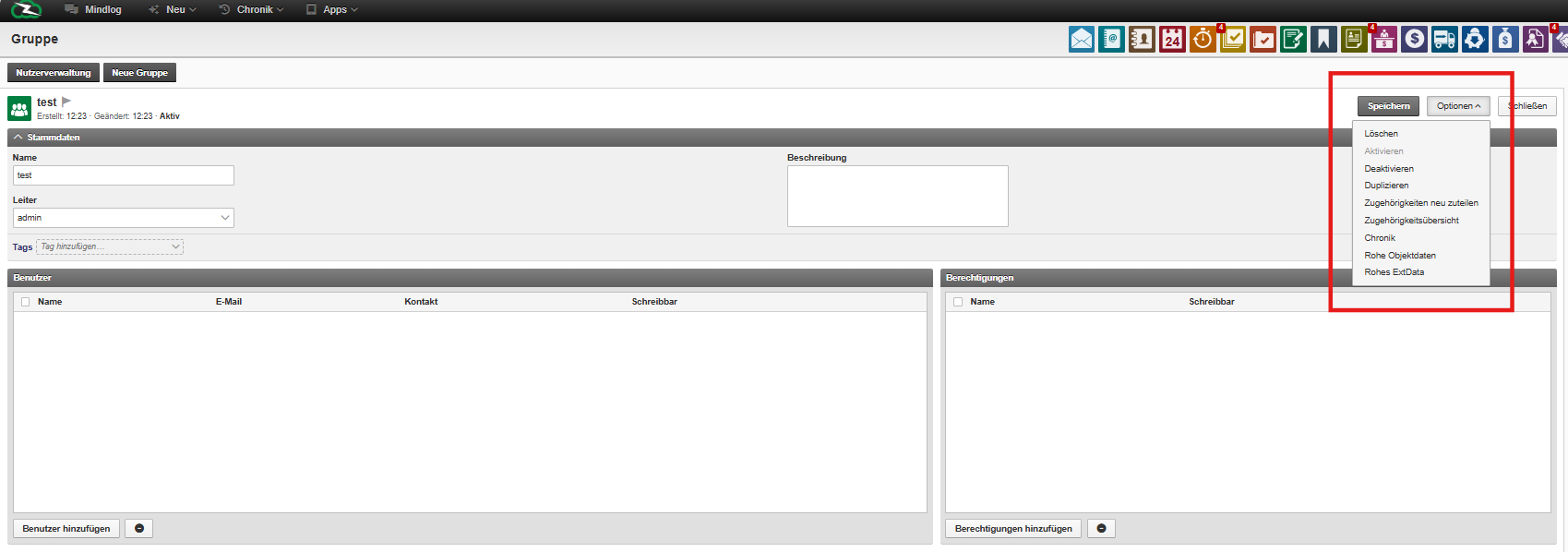
Open a group when you need to:
- add or remove members
- adjust permissions
- rename the group to match the current organization
- deactivate groups that are no longer needed
Best Practices
- Keep group names stable and easy to understand.
- Prefer group-based rights over user-specific exceptions.
- Review permission-heavy groups regularly.
- Ask users to sign out and back in if changed permissions are not visible immediately.
Related Topics
- User Management - Assign new users to the right groups.
- Permissions - Understand how groups, owners, and shared data interact.